The OneBlink platform allows developers to host their APIs directly within the platform, removing the need for external hosting services. API Hosting menu also records and displays requests communicated between OneBlink LcS and the API. It can be used to review request logs, monitor API metrics, and manage scheduled functions.
TABLE OF CONTENTS
- Accessing API Hosting
- Custom OneBlink API Hosting
- Developer Documentation
- Logging
- Metrics
- Scheduled Functions
- OneBlink LcS Environments
- Getting Help
Accessing API Hosting
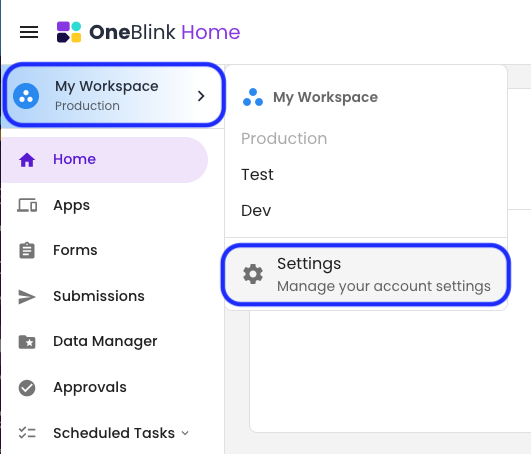
Step 1: Open the Environment Picker and click the Settings option.
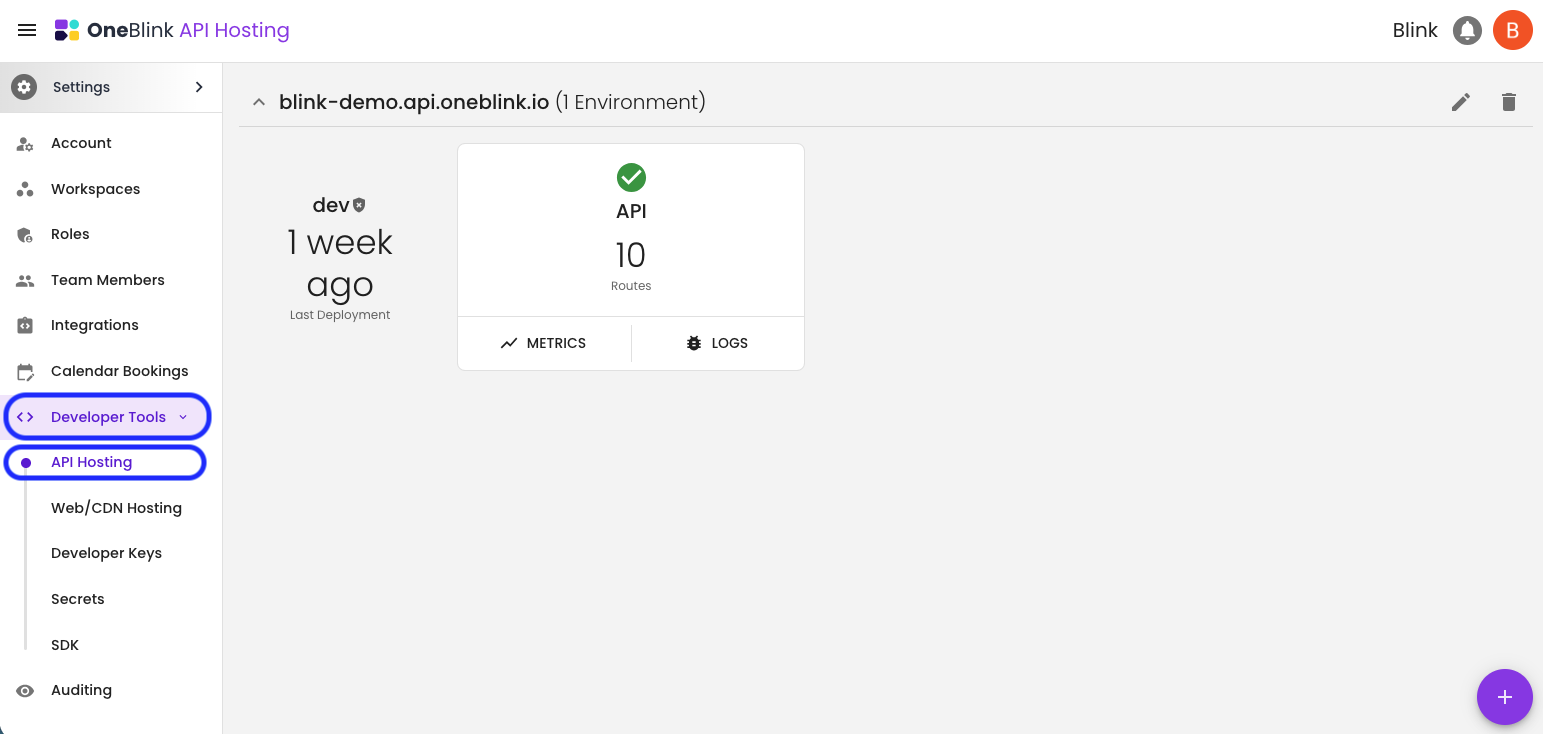
Step 2: Open the Developer tools and click on the API Hosting Menu.
Custom OneBlink API Hosting
If you are getting started with OneBlink API Hosting, review the OneBlink CLI documentation.
The CLI documentation includes information about:
- Login Command: Authenticate before using OneBlink CLI services.
- API CLI: Configure and develop a hosted API.
- CDN CLI: Develop features that use a content delivery network.
Developer Documentation
You can find developer documentation for OneBlink features on the OneBlink GitHub page.
Logging
API Hosting includes a logging system that records interactions between OneBlink LcS and the API. These logs capture details about actions triggered by user activity, including request values and the status returned by the API.
Reading Logs
To view logs for an API, open the Logs option.
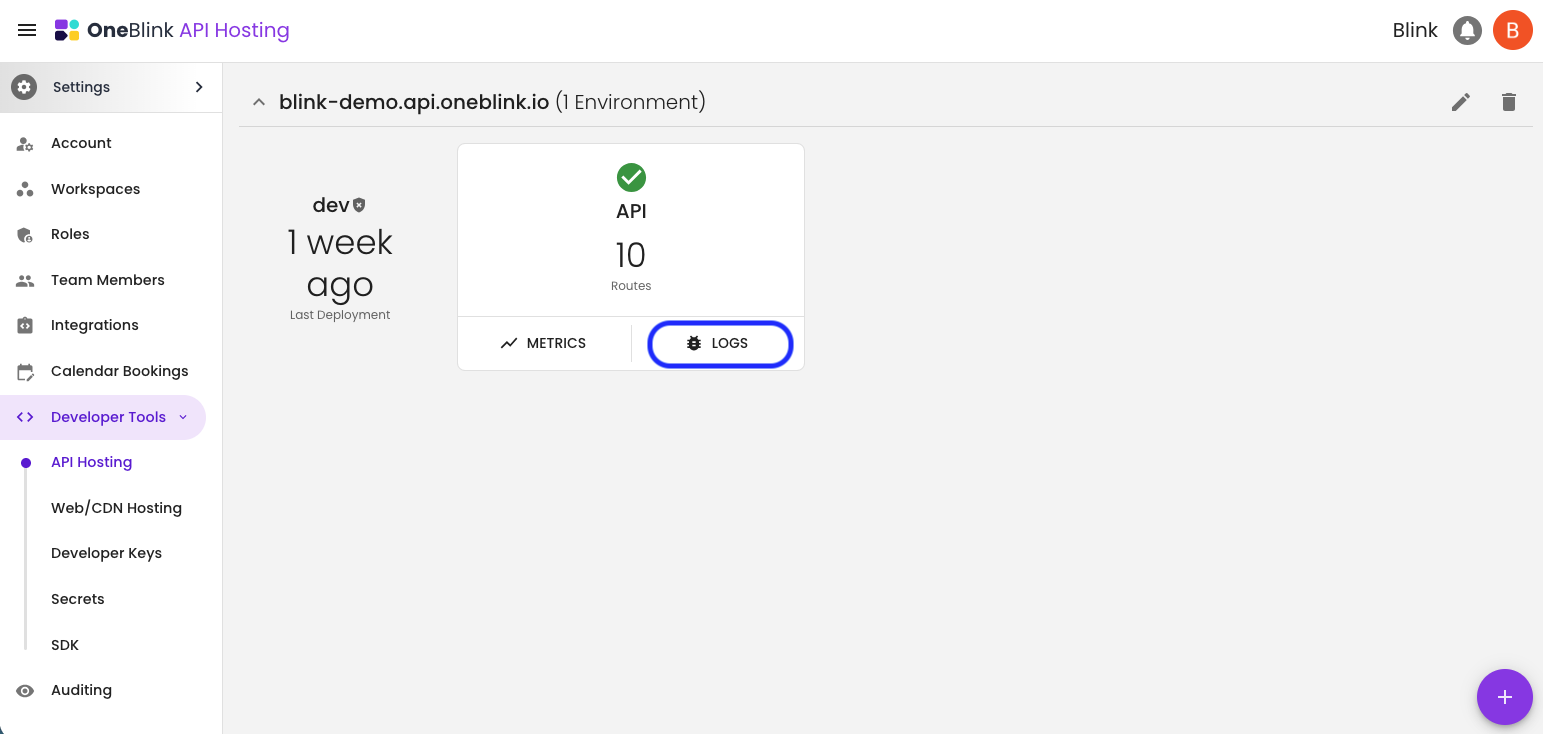
Log entries may include START, END, and REPORT records. These entries help show the full length of an action that has been recorded.
Each log entry can be opened to view the full request details.
Searching Logs
Use the search filter at the top of the log list to find specific log entries.
For the most accurate results, use the available search filters together with the Date & Time filter. Starting with a narrower date and time range can make it easier to find the request you need.
Common search filters include:
- Submission ID
- External ID
- Status, for example
Error - User Email
Metrics
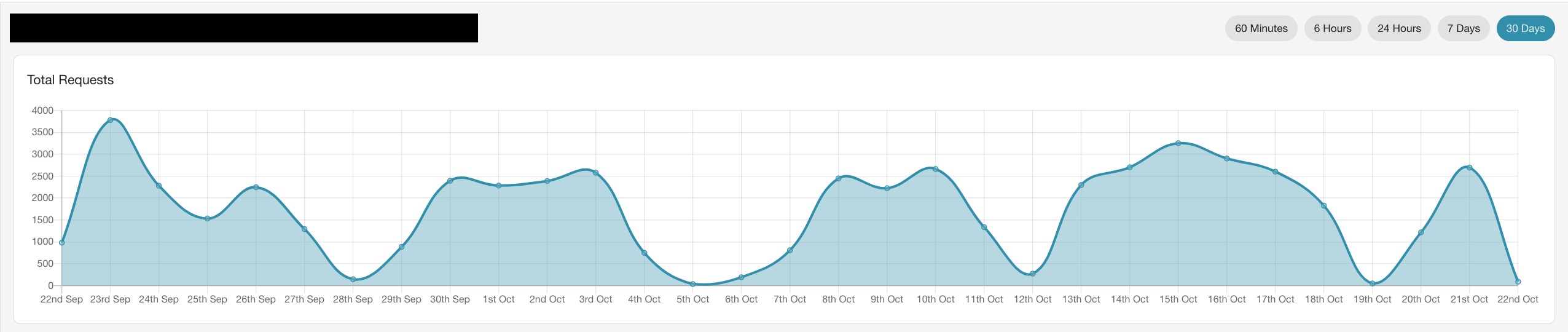
Metrics show the number of requests and errors that have occurred over a selected timeframe.
The available timeframe filters are:
- 60 Minutes
- 6 Hours
- 24 Hours
- 7 Days
- 30 Days
There are three main metrics used to track API statistics:
- Total Requests: The total number of requests.
- 4xx HTTP Errors: The total number of 4xx errors.
- 5xx HTTP Errors: The total number of 5xx errors.
If no errors have occurred, the relevant error metric will show no responses.
Scheduled Functions
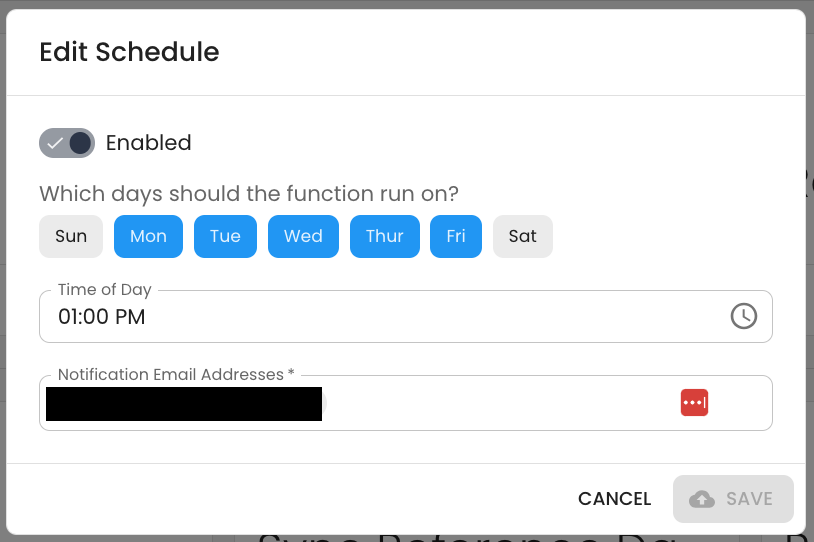
Scheduled Functions allow a function on an API to run at specific intervals.
For example, a scheduled function could be used to run a synchronisation task daily at 1 PM, or to clear an API cache.
A Scheduled Function can be enabled or disabled as needed. You can also configure the days and times the function should run and add an email address to receive notifications after the function has executed.
OneBlink LcS Environments
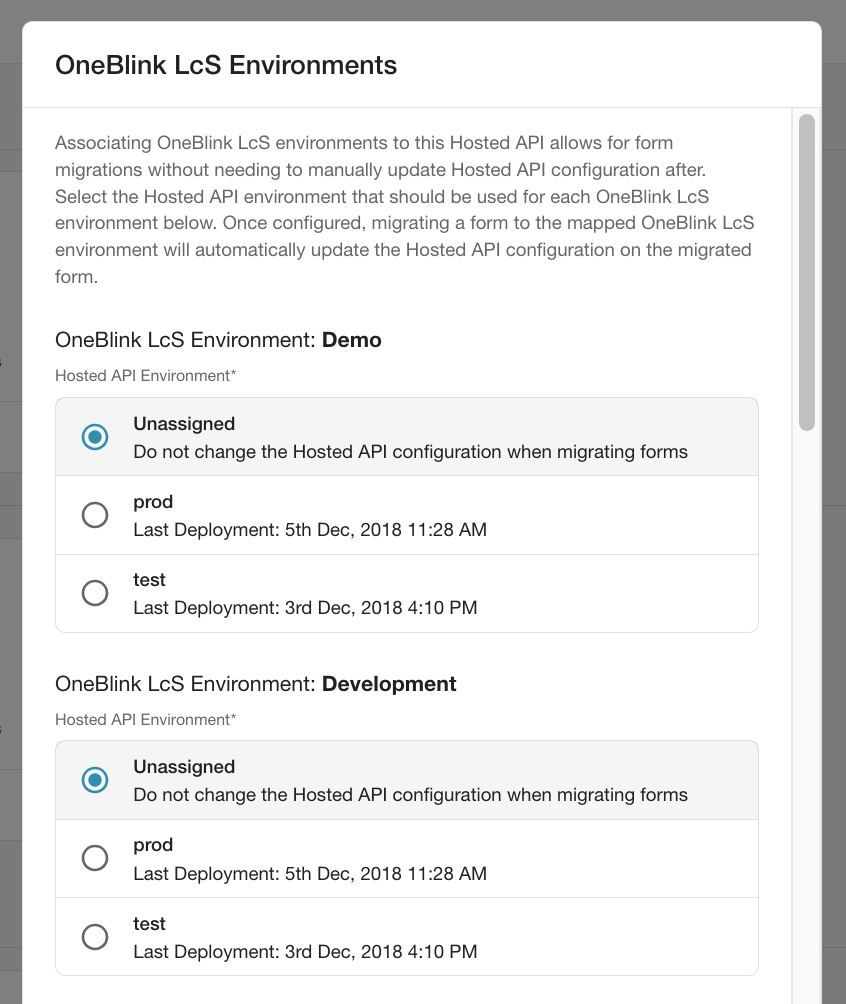
API Hosting environments can be moved across OneBlink LcS environments for form migrations. This allows forms to be migrated without needing to manually update the Hosted API configuration afterwards.
For example, if a form is migrated from the Demo environment to the Development environment, the Hosted API can also be changed to the Development environment. This makes it easier to keep the Hosted API aligned with the migrated form without changing the API itself.
For more information about OneBlink environments, check out the Environments article.
Getting Help
If you need any assistance with API Hosting, please reach out through the Report Issue menu or email support@oneblink.io.
Was this article helpful?
That’s Great!
Thank you for your feedback
Sorry! We couldn't be helpful
Thank you for your feedback
Feedback sent
We appreciate your effort and will try to fix the article