The NSW Point integration allows you to add address validation and parcel lookup elements to your forms.
Configure the integration once, then use it across any form that needs NSW Point address or cadastral parcel lookup functionality.
TABLE OF CONTENTS
- Setting up the NSW Point integration
- Point Address element
- Point Cadastral Parcel element
- Datasets
- Getting Help
Setting up the NSW Point integration
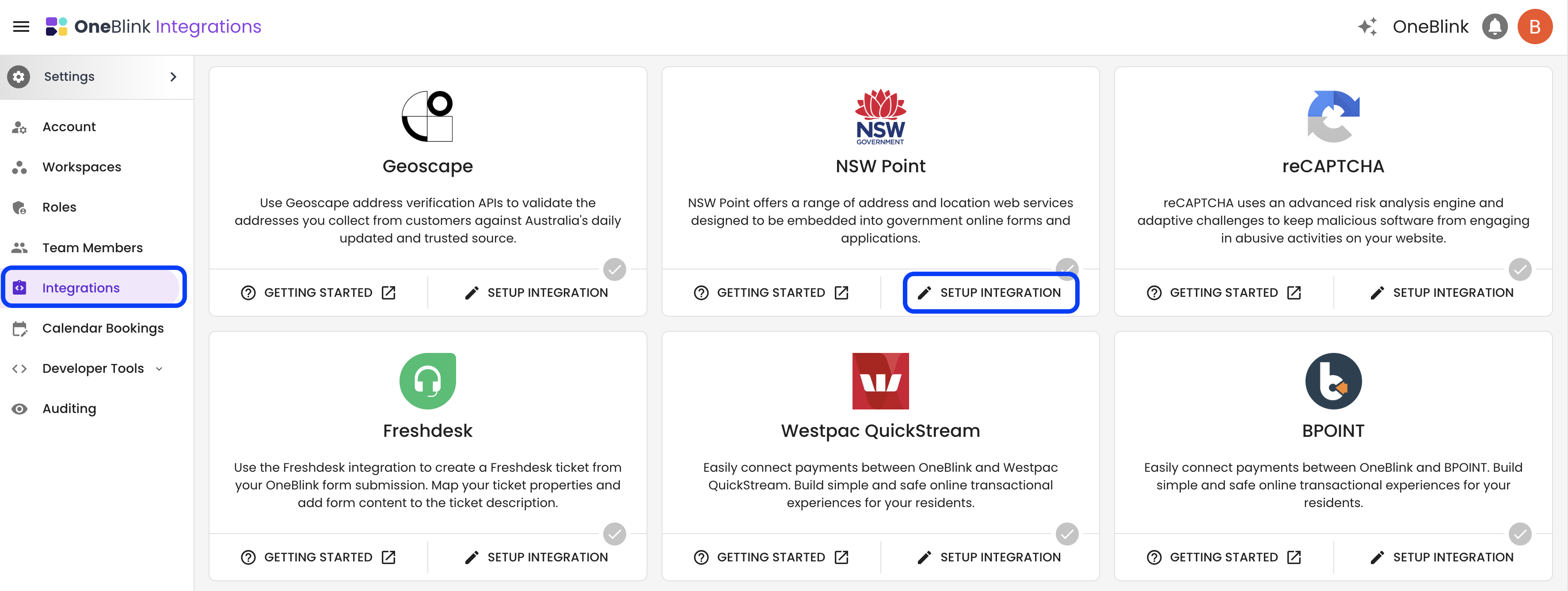
Step 1: Open the Integrations menu and, on the NSW Point integration card, click Setup Integration.
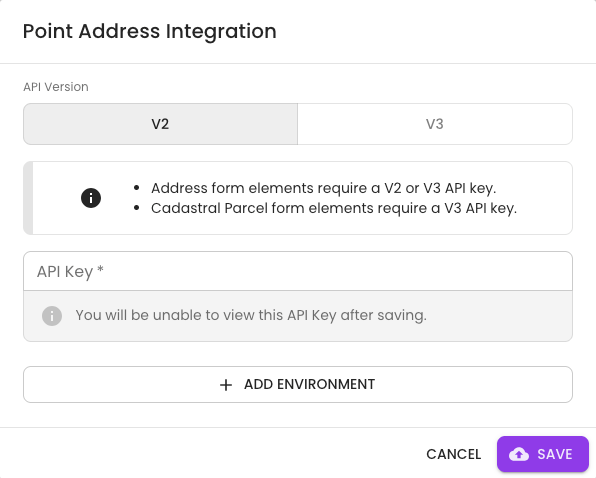
Step 2: Choose the NSW Point API version and enter your API key.
V2 API keys are being decommissioned. For all new integrations, use V3 API keys.
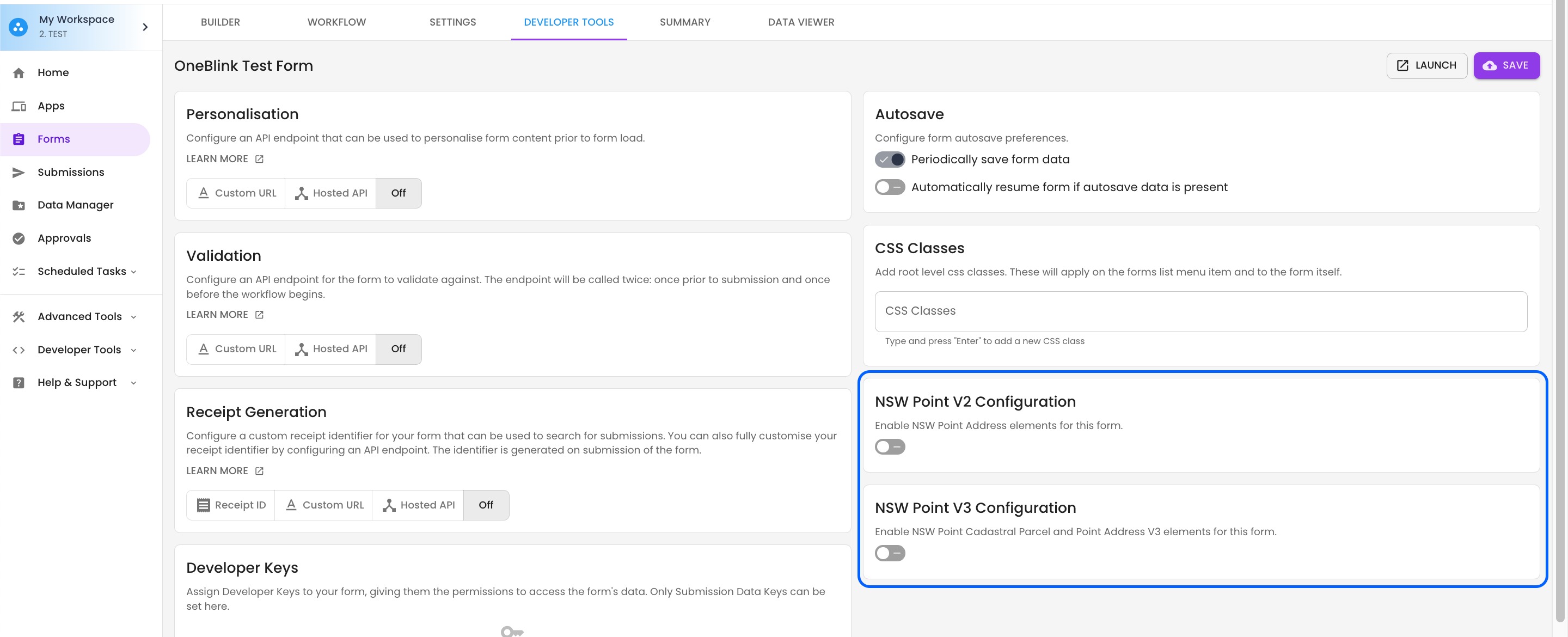
Step 3: Open the form you want to add the NSW Point element to, then open the Developer Tools menu.
Depending on your configuration, there may be separate cards for V2 and V3. Select the appropriate NSW Point API key for the form.
The available configuration options depend on how many environments are configured:
- No Integration: The configuration is hidden on the form summary screen.
- One Environment: A single switch is shown to enable or disable the integration for the form.
- Multiple Environments: A dropdown is shown so you can select which environment API to use for the form.
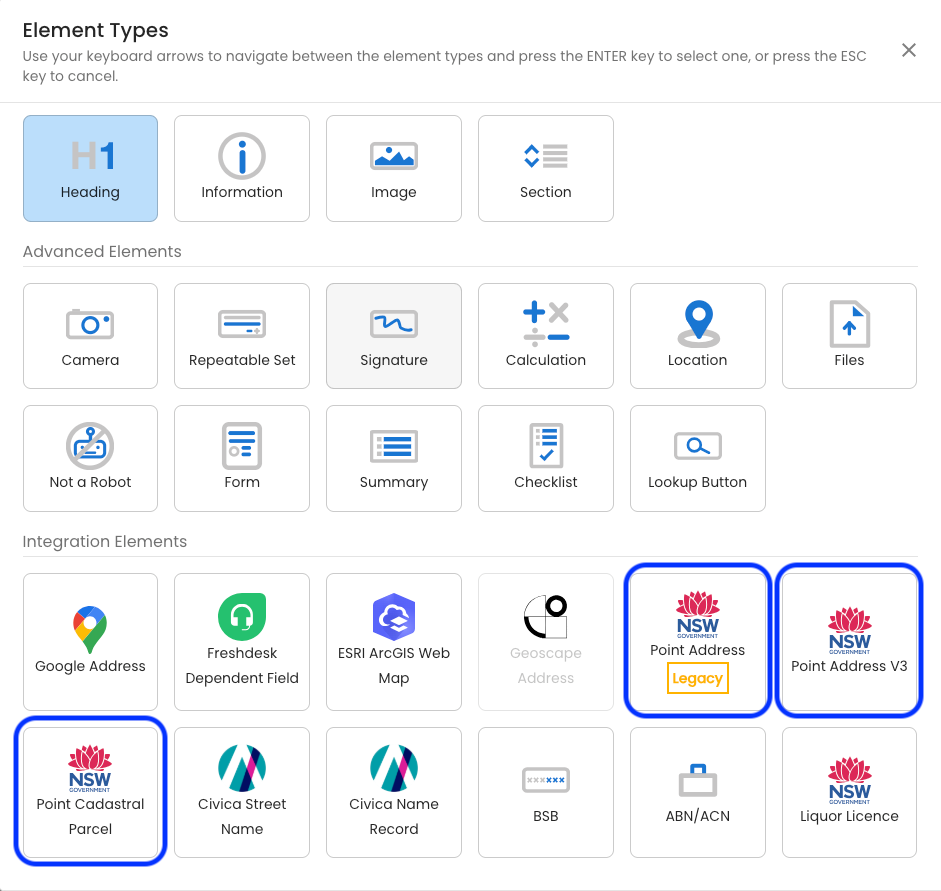
Step 4: Open the Builder tab and add the required NSW Point elements to your form.
The Point Address element that uses V2 API keys is being deprecated. For all forms, use the Point Address V3 element.
Point Address element
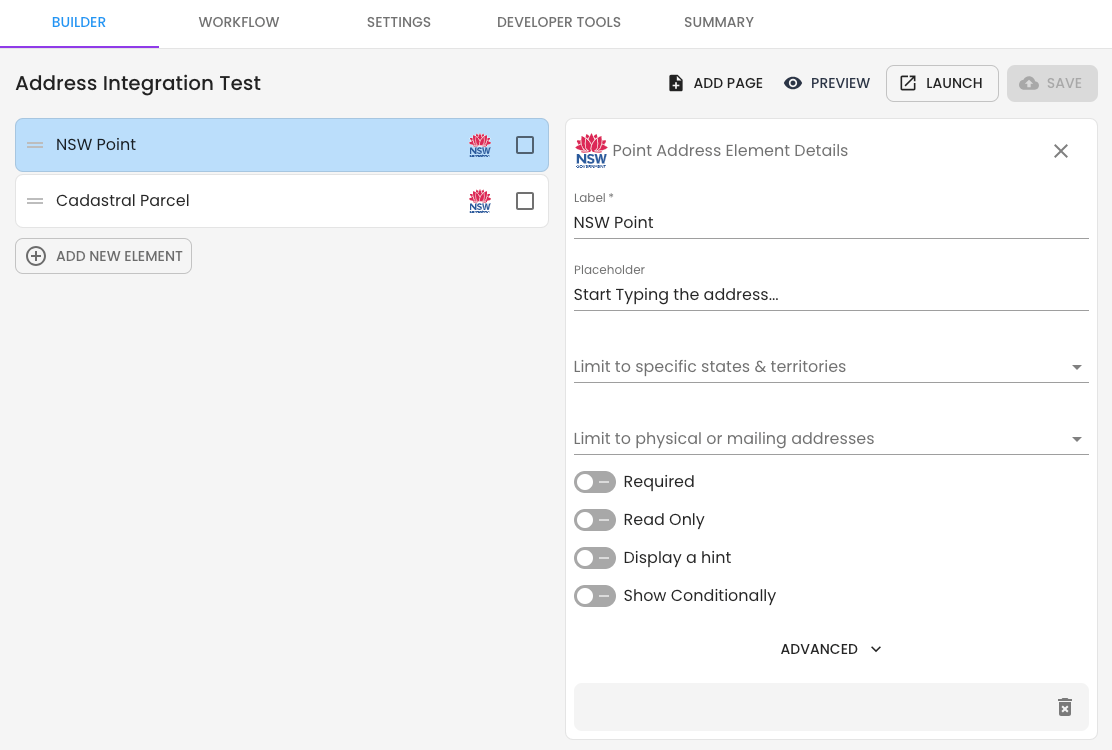
The Point Address element includes configuration options that let you control which addresses can be searched.
You can configure the element to:
- Limit results to specific Australian states and territories.
- Limit results to physical addresses, mailing addresses, or both.
Conditional Logic
You can configure conditional logic based on the value of a NSW Point address.
These conditional logic statements can be used to show elements when:
- The NSW Point address is empty or not empty.
- The address is a mailing address.
- The address is a PO box address.
- The address is in a specific state.
Point Cadastral Parcel element
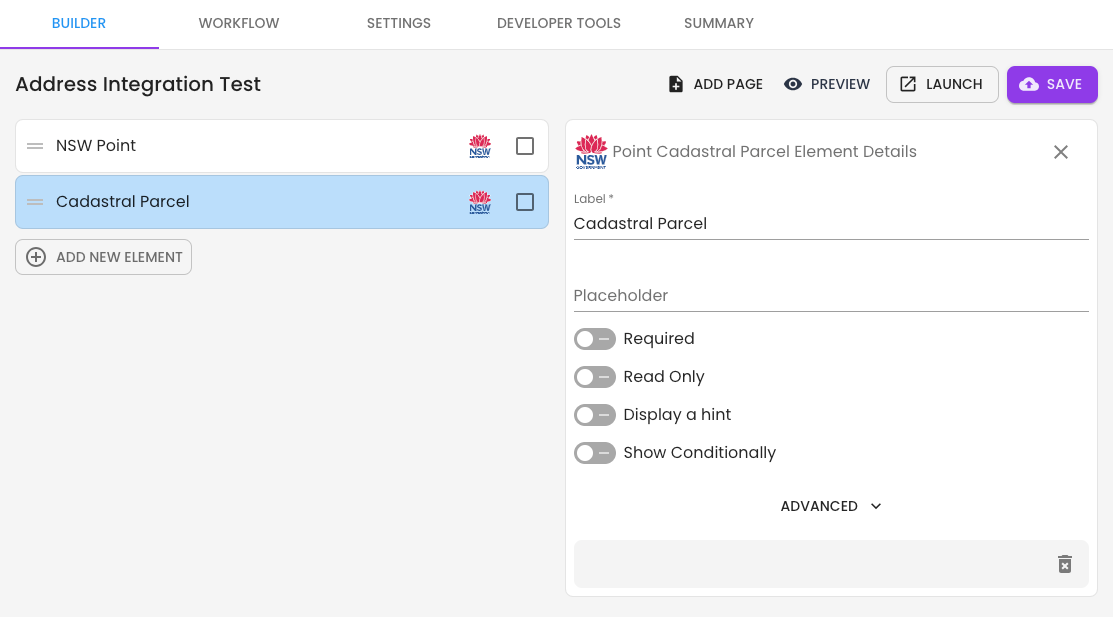
The Point Cadastral Parcel element allows users to retrieve address information from NSW Point by entering a Parcel ID.
After the Cadastral Parcel ID is entered, the form displays the corresponding address, lots, and Local Government Area.
Unlike other NSW Point elements, the Point Cadastral Parcel element does not support autocomplete. The full Parcel ID must be entered manually for the lookup to work correctly.
Datasets
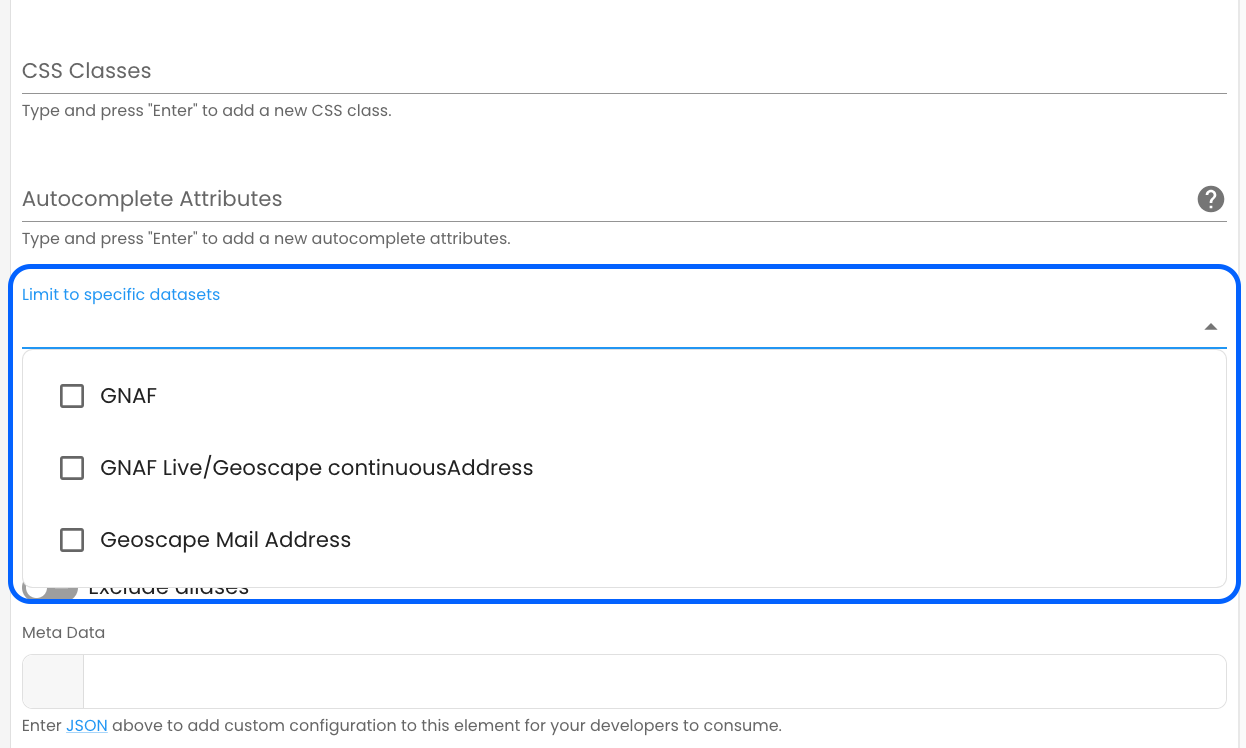
Datasets in the NSW Point V3 element can search for addresses across all three data sources.
By default, datasets are not limited, allowing address searches to use all available datasets.
Getting Help
If you need any assistance with NSW Point integration, please reach out through the Report Issue menu or email support@oneblink.io.
Was this article helpful?
That’s Great!
Thank you for your feedback
Sorry! We couldn't be helpful
Thank you for your feedback
Feedback sent
We appreciate your effort and will try to fix the article